Mayo Clinic
- 3.7
- Rating
- 1.00M
- Installs
- Free
- Price

 Analysis by App-foxy
When I want a dependable medical reference on my phone, I prefer something built around established clinical expertise rather than a stream of unverified health tips. Mayo Clinic fits that role. It is a free medical app from Mayo Clinic, designed as an on-the-go source for the organization’s health information. I found it most useful as a starting point: it helps me understand a symptom, prepare for a conversation with a clinician, or review a condition in plain language before deciding what to ask next.
That description also sets the right expectations. This is not a replacement for an appointment, an emergency service, or a personal diagnosis. Its value is in making reputable general health information easier to reach. For readers who want a calm reference from a recognizable medical institution, it is worth considering. For someone looking for live medical advice, appointment management, or a highly personalized treatment plan, a different kind of app will usually be more appropriate.
What the free app actually offers
The most important cost detail is straightforward: the app is free. That makes it easy to try without committing money first, which matters for a reference tool that people may use only occasionally. I can keep it available for moments when a health question comes up, rather than paying for access to information I might not need every week.
You May Also Like

 Blood Strike: 2.5 Anniversary
Blood Strike’s Loadouts Turn Every Drop Into a Tactical Gamble
A close look at Blood Strike’s custom loadouts: how fast access to signature weapons reshapes its battle royale rhythm, rewards preparation, and narrows the gap between fights.

 Pandora - Music & Podcasts
Pandora’s Music Is Easy to Start, but Harder to Recover
Pandora’s strength is its low-effort path from a seed to a station. Its weak spot is how much confidence it asks you to place in connection, setup, and quiet recovery.

 8 Ball Pool
 Is Built on Rivalries, Rematches, and Routine
A close look at the rivalries, rematches, shared routines, and unanswered safety questions that turn a quick pool match into a persistent mobile community.

 Samsung Music
’s Quiet Strength Is Playing What You Already Own
Its reach comes less from spectacle than from dependable access to a personal library. That simplicity is both the app’s strongest retention engine and its ceiling.

 AccuWeather: Weather Radar
AccuWeather Review: A Quick, Clear Forecast for Everyday Decisions
For everyday plans, the best forecast is the one you can understand quickly. AccuWeather makes rain timing, radar, and local conditions easy to act on, with a few trade-offs.

 Hill Climb Racing
Why Hill Climb Racing Still Turns Crashes Into One More Run
A tiny car, a bumpy hill and one more upgrade: Hill Climb Racing keeps resurfacing because its simple chaos makes every near-miss feel personal.
More From Our News Desk
View All News


The developer is Mayo Clinic, and the app belongs to the medical category. It is suitable for Everyone, so its intended audience is broad rather than limited to professionals. It has been available since April 18, 2013, and the current version is 14.4. On Android, it requires OS 9 or later, an important practical check before installing it on an older phone.
Its reach is substantial, with over a million installs, while its average rating is around 3.6 from roughly twelve thousand ratings. I would not treat that score as a clinical verdict, but it is useful context: the app has attracted a large audience, yet the experience will not satisfy every user equally. Medical reference apps often receive mixed reactions because people expect very different things from them, from quick symptom explanations to direct care.
The free price changes the decision. There is no paid purchase to justify and no need to compare it with an expensive subscription before trying the basic experience. The better question is whether its information style matches the way I need to use health content. If I want organized background reading from Mayo Clinic, the answer is often yes. If I want a service that connects me directly with a doctor, free access alone does not make it the right tool.
How I use it without turning it into a diagnostic tool
I get the most from the app when I begin with a specific question. Instead of searching broadly for “what is wrong with me,” I use it to learn about a named condition, understand a symptom in general terms, or prepare a short list of questions for a healthcare visit. That narrower workflow reduces the temptation to match every ordinary sensation to the most serious possibility.
A realistic example is a weekend when I notice a recurring headache and have an appointment scheduled for the following week. I can use the app to read general information, note terms I do not understand, and write down details such as when the headache began or what seems to worsen it. The app does not replace the appointment, but it can make that conversation more focused. If the symptoms feel urgent or severe, I would not delay care while reading an article.
One useful habit is to separate information gathering from decision-making. I read the relevant material, record questions, and then judge the next step using professional advice and the seriousness of the situation. That is more responsible than treating a health article as a personal diagnosis. The app works best as a bridge between uncertainty and a better-informed conversation, not as the final authority on my body.
Why the Mayo Clinic source matters
The clearest strength is the source behind the content. Mayo Clinic gives the app a medical identity that is more reassuring to me than an anonymous collection of wellness posts. That does not mean every page can answer my individual question, but it gives the information a useful starting level of credibility.
Source quality is especially valuable when health searches produce contradictory advice. A general web search may mix professional material with personal anecdotes, commercial pages, and outdated explanations. The Mayo Clinic app gives me a more focused place to begin. I still check with a clinician when the issue is important, but I spend less time sorting useful information from speculation.
Another advantage is the ability to consult a familiar medical reference away from a desktop. A phone-based resource is convenient when I am preparing for a visit, helping a family member understand a term, or trying to remember what a doctor mentioned earlier. That convenience is modest, but it is exactly the kind of benefit that makes a reference app worth keeping installed.
Where it fits among other health apps
Compared with a symptom checker, this app is better suited to reading and understanding than to receiving a quick risk estimate. Symptom checkers usually guide users through questions and produce a suggested level of urgency. That can feel faster, but it can also encourage false confidence or unnecessary alarm. I prefer Mayo Clinic when I want context and vocabulary rather than a simplified result.
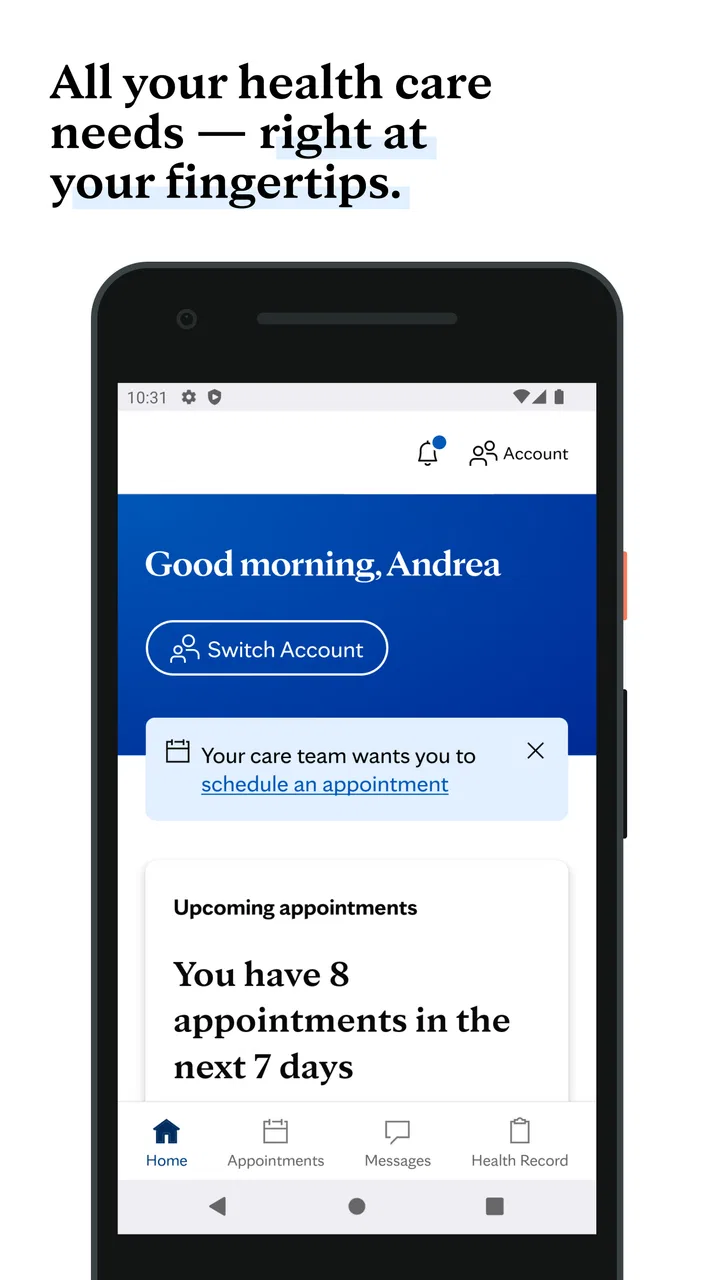
Compared with a patient portal, it serves a completely different purpose. A portal may be the better choice for viewing personal test results, messaging a care team, managing appointments, or checking records. Mayo Clinic is not the substitute for those patient-specific tasks. Its strength is general medical education, while a portal connects information to an existing healthcare relationship.
Compared with broad wellness apps, it is less about habit tracking or motivation. If my goal is to log exercise, count meals, monitor a personal metric, or follow a structured fitness plan, I would choose an app built around that activity. Mayo Clinic makes more sense when the question is medical understanding rather than daily behavior tracking.
That distinction prevents disappointment. A recognizable medical name does not automatically mean the app includes every healthcare function. I would install it for trusted reference material, not because I expect it to become my complete digital health system.
Small workflow choices that improve its usefulness
My first practical tip is to read beyond the first paragraph of a health topic. A short opening explanation can make a condition sound familiar, but the surrounding details often provide the context that matters: how a problem is generally understood, what questions may be relevant, and why professional assessment can still be necessary. Skimming only the opening can encourage self-diagnosis.
My second tip is to use the app before a medical appointment, not only after symptoms appear. I can review unfamiliar terms from a referral or diagnosis, then bring a written list of questions. This turns passive reading into preparation. The benefit is not that the app tells me what treatment to choose; it helps me participate more clearly in the discussion.
A third useful approach is to treat the app as a reference for family conversations. When someone close to me asks what a condition means, I would rather point them toward a reputable medical source than forward a random social-media post. We can read the general explanation together and still recognize that their specific situation belongs with a professional.
I also avoid using it as a reason to postpone urgent care. No medical reference app should become a delay mechanism when symptoms are serious, rapidly changing, or frightening. In those moments, I would contact appropriate local services instead of opening another article. This is not a weakness unique to Mayo Clinic; it is a boundary every responsible user should keep in mind.
Tradeoffs, audience fit, and my verdict
I’d use this section to weigh the app’s dependable medical reference role against the limits of general health reading, so it’s clear who is likely to benefit and who should choose a more direct care tool. My verdict depends less on how often someone opens it than on whether they can use its information as preparation rather than a personal answer. That distinction is the key to deciding whether it belongs on your phone.
What may frustrate regular users
The app’s general nature is both its advantage and its limitation. General information can explain a condition clearly, but it cannot account for my medical history, medications, age, examination findings, or test results. A reader who expects a personalized answer may leave feeling that the app stopped just where the real decision begins.
There is also a natural gap between reading and action. After learning about a symptom, I may still be unsure whether it deserves a routine appointment, a same-day call, or urgent attention. The app can improve my understanding, but it should not be mistaken for a triage service. Anyone choosing it should be comfortable with that division of responsibility.
The average rating around 3.6 suggests that the experience has room for improvement for some users. I would interpret that carefully rather than assuming the content is poor. Ratings can reflect navigation preferences, device behavior, expectations about features, or dissatisfaction from people wanting direct care. Still, it is a reminder to approach the app as a focused reference rather than an all-purpose health companion.
Another tradeoff is that a large institutional source may feel less conversational than a personal wellness coach. I appreciate the authority, but users who want encouragement, reminders, progress charts, or an interactive question-and-answer flow may find it less engaging. The more someone expects a highly personalized digital experience, the more likely they are to need another app alongside it.
Who will get the most value
I would recommend it to adults who want a credible medical reference on hand, caregivers who need help understanding health terminology, and patients preparing for conversations with clinicians. It can also suit students or curious readers who prefer medical explanations from an established healthcare organization instead of relying on scattered search results.
It is particularly useful for people who can pause, read carefully, and use information responsibly. The free access removes a financial barrier, while the broad age rating makes it approachable for a wide audience. The strongest value comes from repeated small uses: checking a term, preparing questions, or finding a clearer explanation after a visit.
I would be more cautious about recommending it to someone seeking immediate reassurance from a symptom. Reading a trusted article can still lead to anxiety if the reader focuses on every possible complication. Likewise, people who need personal records, direct messaging, appointments, or remote consultations should start with their healthcare provider’s patient portal or a dedicated telehealth service.
People with limited storage or an older Android phone should also check compatibility before planning around it. The minimum requirement is Android 9, so an older device may not be able to install the current version. That is a simple practical detail, but it can matter when someone is trying to access health information quickly.
My buy-or-skip decision
Because access is free, my verdict is an easy try rather than a purchase decision. I would install Mayo Clinic if I wanted a reputable medical reading resource and understood that it offers general education, not personal diagnosis or direct clinical care. The source, accessibility, and usefulness for appointment preparation give it real value without requiring a subscription commitment.
I would skip it if my main goal were symptom triage, health tracking, prescription management, or communication with my own care team. In those situations, a symptom assessment service, patient portal, or specialized tracking app would fit the job better. Installing this app would not solve those needs simply because it comes from a respected medical organization.
Overall, I see it as a sensible reference to keep available for thoughtful, non-urgent health questions. Its free price makes experimentation painless, and its Mayo Clinic foundation gives the material a stronger starting point than random online advice. The best value comes from using it to prepare, understand, and ask better questions—not from asking it to make medical decisions for me.
That is why I would recommend it to a friend with the right expectations. Open it when you need reliable background information, use what you learn to organize a conversation with a professional, and stop reading when the situation calls for care rather than research. Used that way, this medical app is practical, responsible, and worth having on a compatible phone.
FAQs for Mayo Clinic
01What features does the Mayo Clinic app offer?
The Mayo Clinic app provides a comprehensive array of features designed to enhance your healthcare experience. These include access to your medical records, appointment scheduling, symptom checkers, and health trackers. Additionally, it offers personalized health insights and direct communication with your care team, ensuring you’re always informed and connected.
02Is the Mayo Clinic app secure for managing personal health information?
Yes, the Mayo Clinic app prioritizes user privacy and security. It uses encryption and other security measures to protect your personal health information. Additionally, you can manage your privacy settings within the app to control who has access to your data, ensuring a secure experience while managing your health.
03Can I use the Mayo Clinic app for virtual consultations?
Absolutely, the Mayo Clinic app supports virtual consultations, allowing you to connect with healthcare professionals from the comfort of your home. This feature includes video visits and messaging options, making it convenient to get medical advice, discuss symptoms, and receive treatment plans without needing to visit a clinic in person.
04Is the Mayo Clinic app user-friendly for all ages?
The Mayo Clinic app is designed with a user-friendly interface that caters to all ages. It features easy navigation and clear instructions, making it accessible for both tech-savvy individuals and those less familiar with digital tools. Tutorials and help sections are available to assist users in making the most of the app’s features.
05Are there any costs associated with using the Mayo Clinic app?
Downloading and using the basic features of the Mayo Clinic app is free. However, certain services, such as virtual consultations or specific health programs, might incur fees. It's advisable to check with your healthcare provider or the app's billing section to understand any potential costs involved before proceeding with premium features.
Pros
- Comprehensive health information.
- User-friendly interface.
- Access to expert advice.
- Customizable health trackers.
- Regularly updated content.
Cons
- Requires account for full access.
- Limited offline functionality.
- No direct doctor communication.
- Some features are subscription-based.
- Can be data-heavy.

Mayo Clinic
Gallery